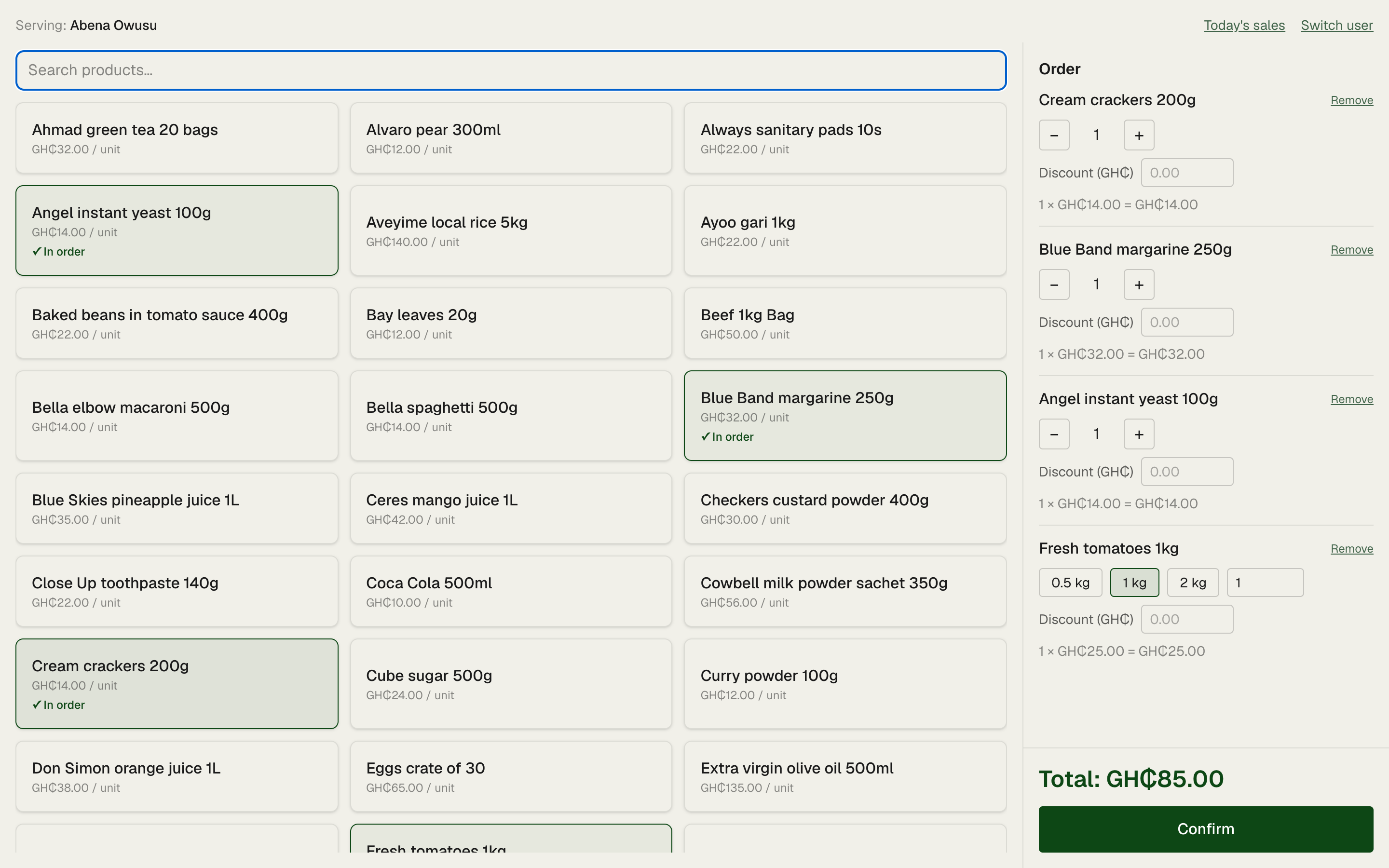
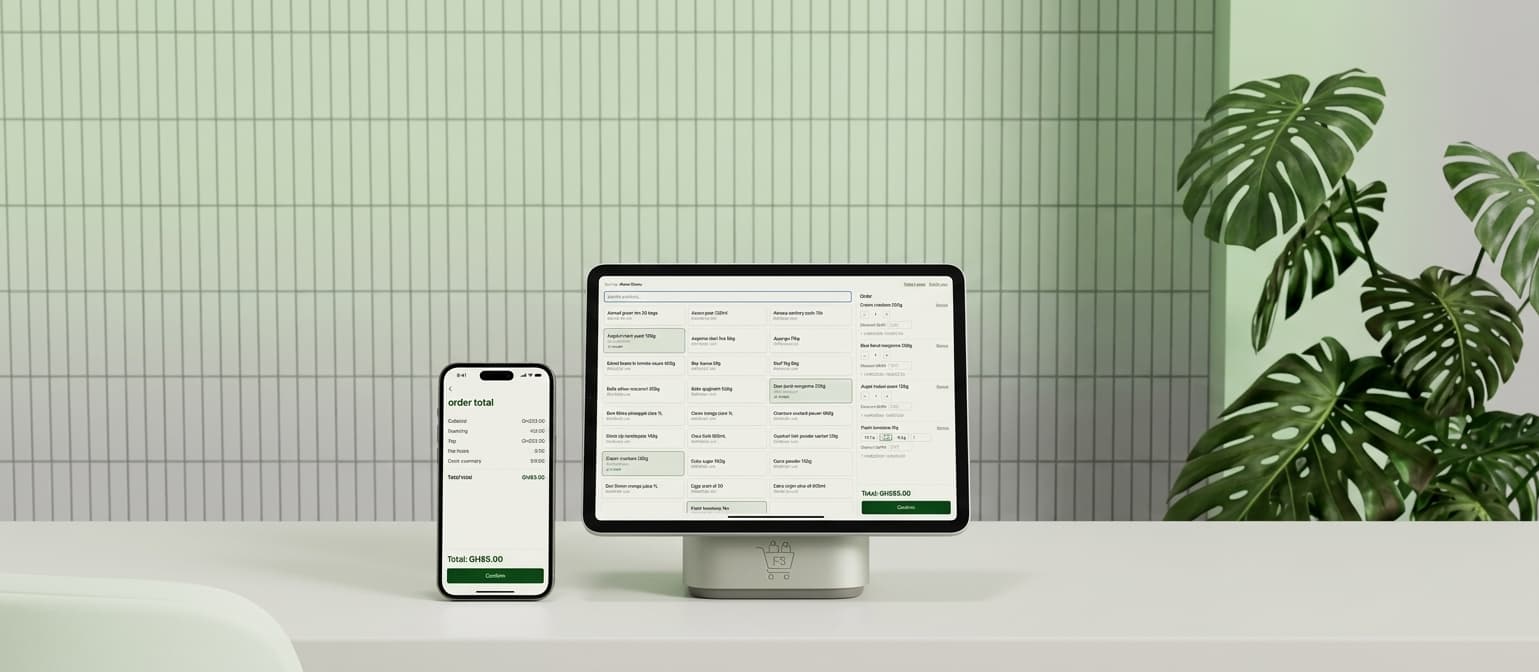
A tablet and a phone showing the FullShelf sales screen on a shop counter.

FullShelf

Know what's on the shelf, what sold, and what cash to expect.

Your staff key each sale. You see stock and cash from your phone.

Chat on WhatsApp, or call me on +233 24 720 7555.

The problem

  • The notebook says one thing. The shelf says another.
  • The drawer is short and nobody can tell you why.
  • You're not in the shop, so you find out when it's too late.

Three steps, and you're not counting any of them

  1. Step 1

    Staff key each sale at the counter.

    Tap the product, enter the weight or count, confirm. It takes seconds.

  2. Step 2

    Stock and cash update as they go.

    You don't count anything. Every sale moves both numbers straight away.

  3. Step 3

    The day closes with one number you can check.

    It's the cash that should be in the drawer. Count the drawer against it.

Works on what you already have

Nothing to buy and nothing to install. FullShelf runs in the browser on anything that can get online:

  • Your phone
  • A laptop
  • A desktop computer
  • The POS machine already on your counter

Staff use the shop's own device. You use your phone, wherever you are.

The sales screen open in a browser on a counter laptop, with the order panel beside the product tiles.

Built in a real Accra shop, used every day

FullShelf was made with a grocery shop in Accra. Their staff have keyed every sale on it since November 2026.

What you get

Know the cash to expect, wherever you are

Sales, discounts and the cash that should be in the drawer, for today or any day you pick. Open it on your phone from home, from church, from another town.
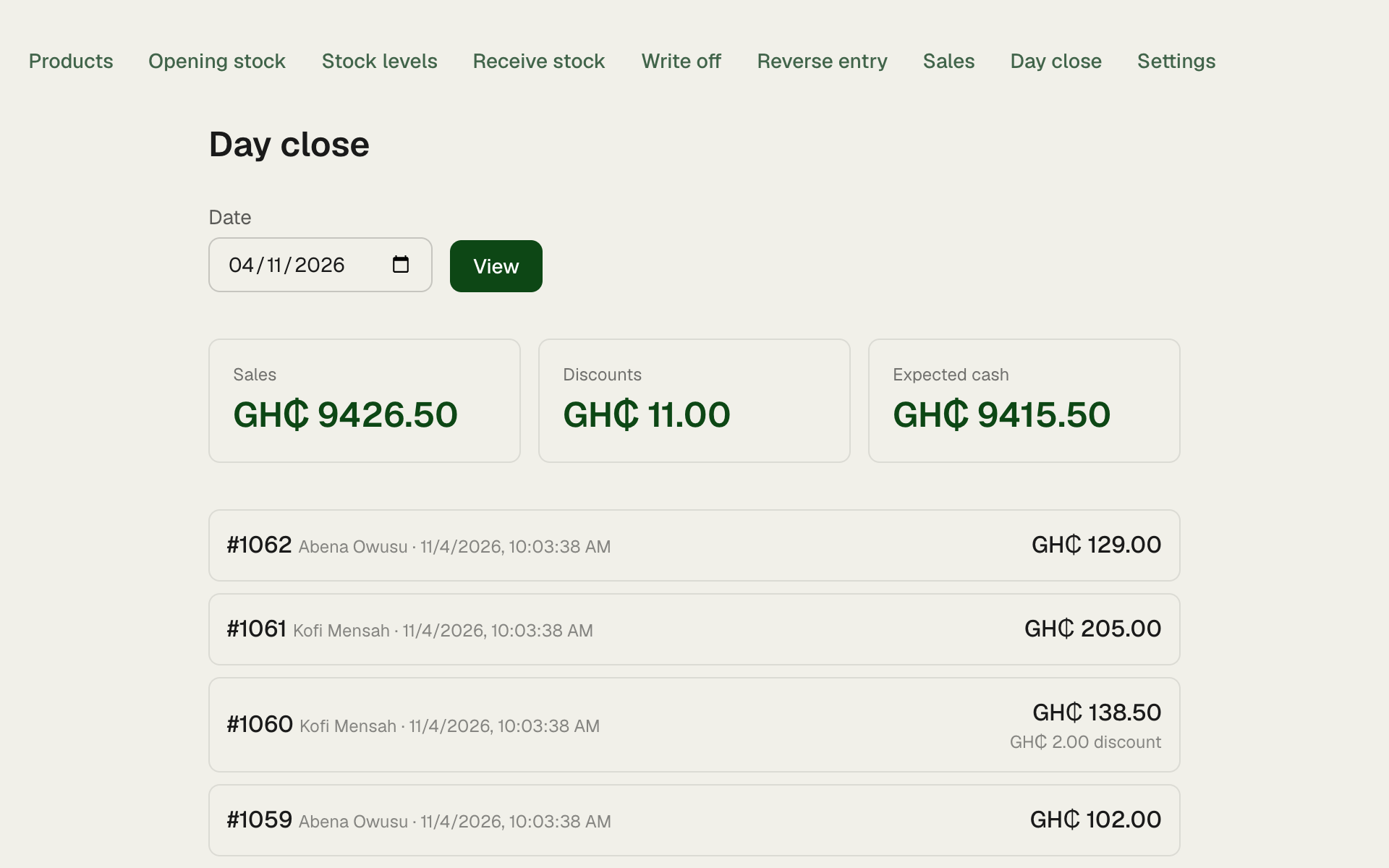
The owner's day-close screen: total sales, discounts and expected cash for a chosen day, with every sale listed.

See what's left without counting the shelf

Every product, how much is left, and the level where you want a warning. Anything that has gone below zero is flagged so you can ask why.
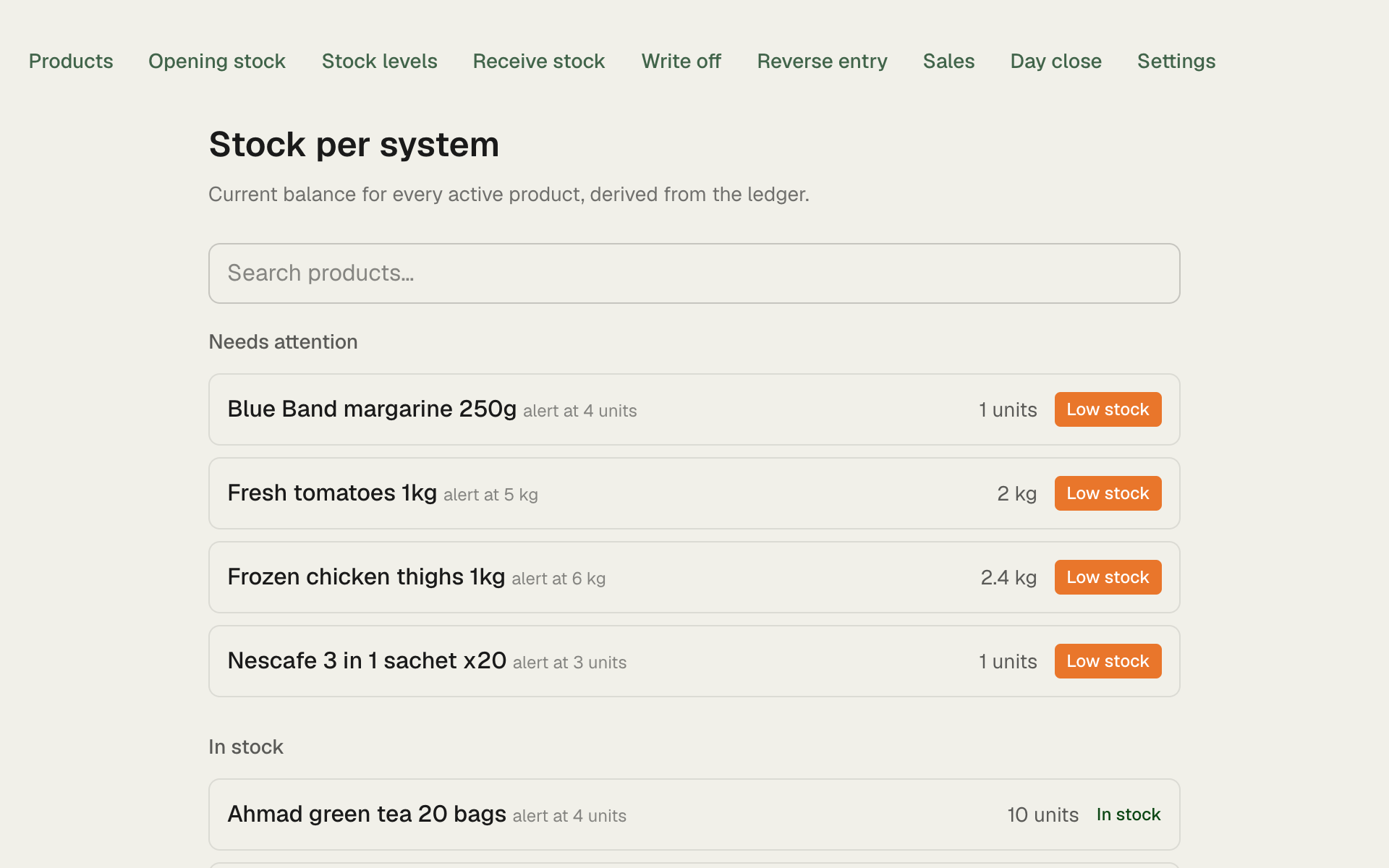
The owner's stock screen: each product with its current quantity and alert level, products that need attention at the top.

Get a text before you run out

When a product drops below the level you set, I send you one text message (SMS). It works on any phone, and you get it once, not every time someone buys. The same list is on your dashboard.
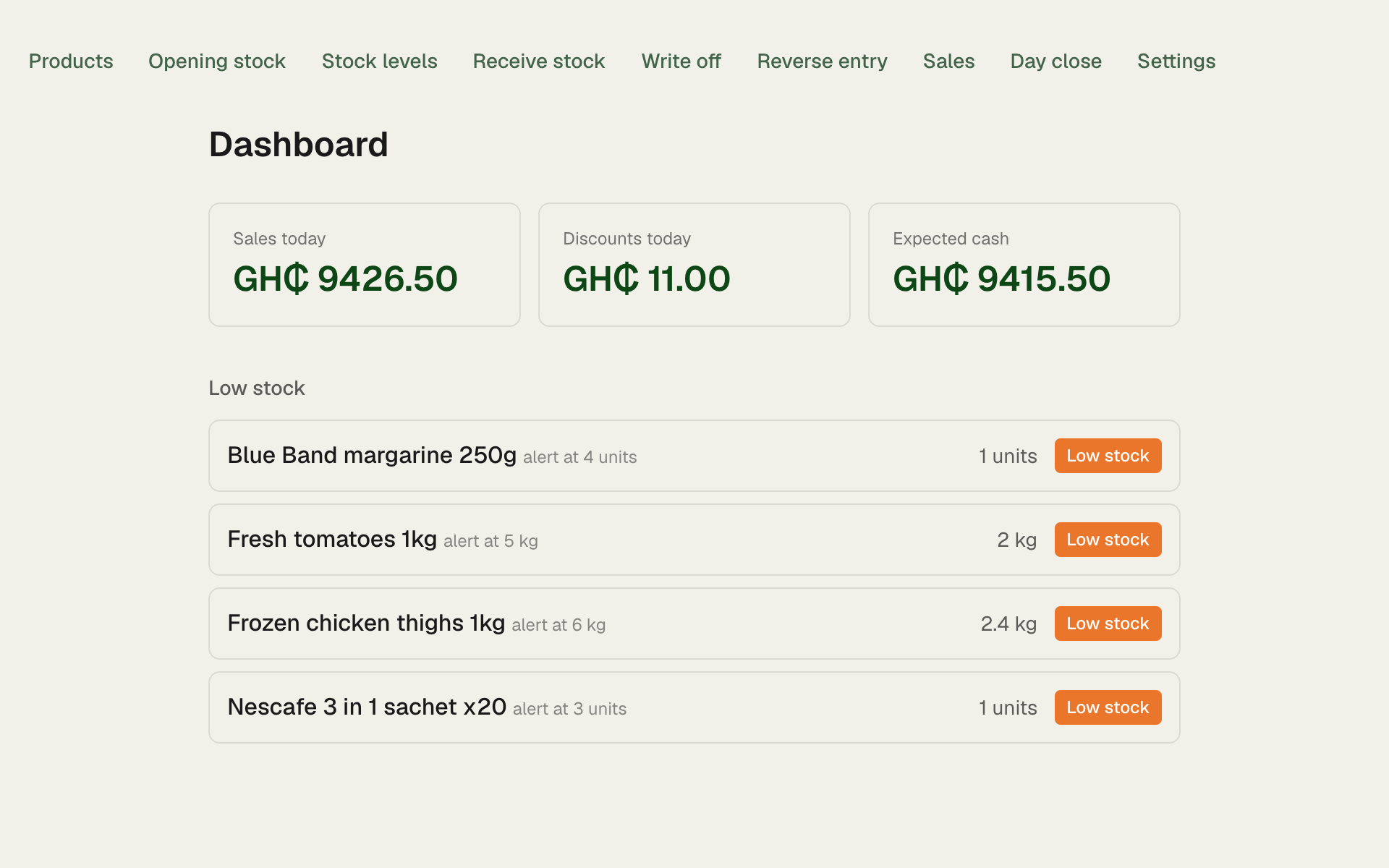
The owner's dashboard, listing the products that have dropped below their alert level.

Fix a wrong entry and keep the trail

If a sale is keyed wrong, you cancel it and staff key it again. The wrong one stays on record, marked as cancelled, so you can always see what happened and when.
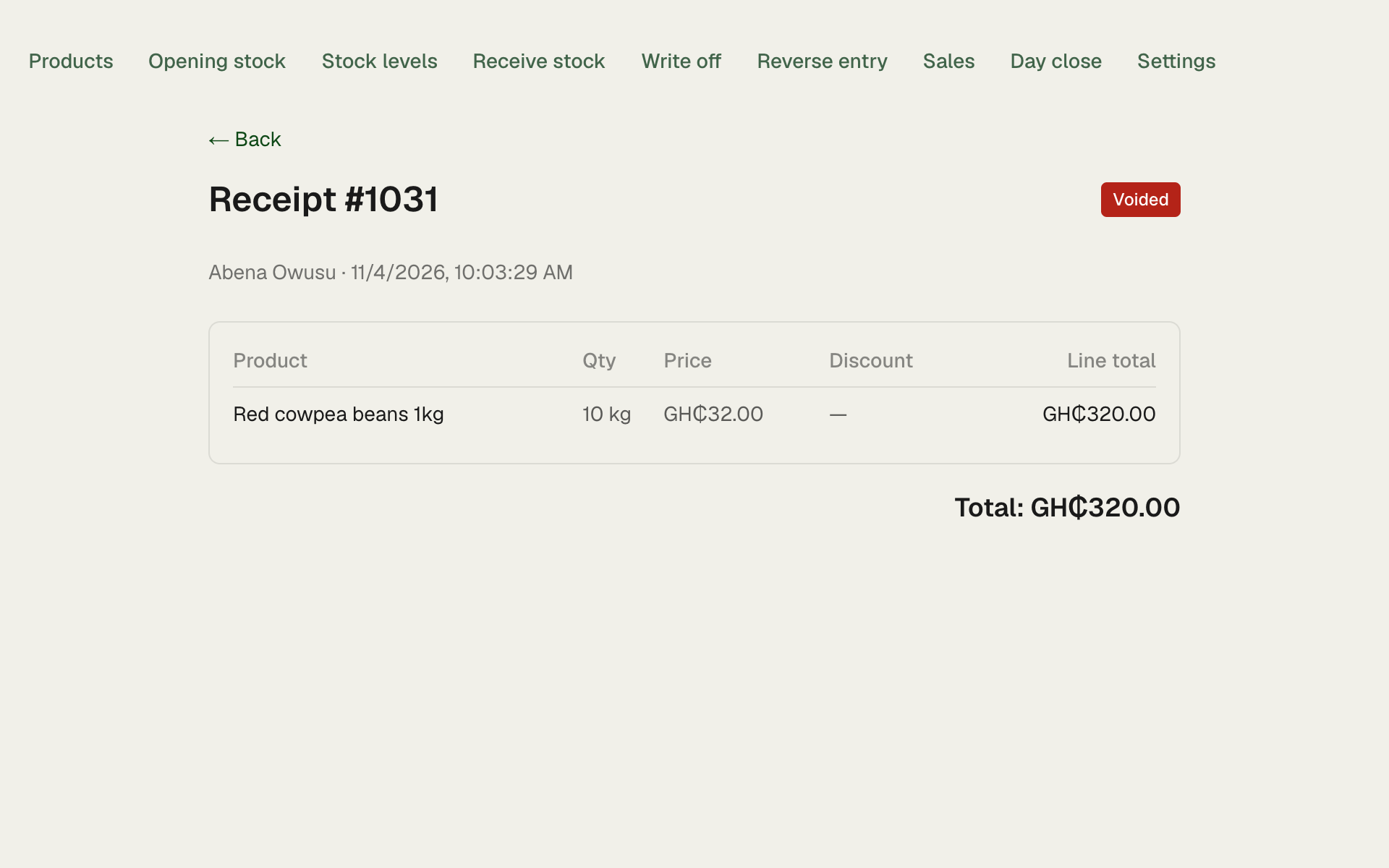
A cancelled receipt in the owner's receipts, still visible and marked as voided.

What it costs

Cash. No contract to sign, no equipment to buy.

Setup, once

GH₵5,000

  • I activate your shop on FullShelf.
  • I train you and your staff.
  • I key your products in with you.

Keeping it running

GH₵5,100 a year

or GH₵500 a month. Paying for the year saves you GH₵900.

Covers hosting, your low-stock text messages and fixes.

Questions I get asked

What if my staff key a sale wrong?
They can't edit or delete anything. You cancel the wrong sale from your own login: the stock goes back, the expected cash comes down, and the record stays visible. Staff then key it correctly.
What if a sale never gets keyed?
Then FullShelf can't see it. It counts what is keyed, so the rule has to be that every sale is keyed before the goods are packed. What it does show you is discounts by person, short deliveries, and cash that doesn't match the keyed sales.
What if the internet drops?
Selling needs a connection. FullShelf doesn't work offline yet. For those minutes, write the sales down and key them once it's back.
What happens to my old stock card?
Once, on day one, you count the shop and that count is the starting figure. I key your products in with you. From then on FullShelf keeps the count as things come in and go out. Keep the card as a backup if you like, but you won't need to update it.
Can my staff see my stock and cash?
No. Staff get the sales screen and today's receipts, each with its own total. They can't see your stock levels, your dashboard or the day's cash. They each have their own PIN, and it only works on the shop's own device.

Know tonight's cash before you close.

Message me and I'll set up your shop, train your staff and key in your products.

Chat on WhatsApp, or call me on +233 24 720 7555.